
How to show reviews on your bundle pages ( Core Template )
If your store uses Yotpo or Judge.me for reviews, Kitenzo can show that same social proof on your bundle pages. You can display your review app's widget for the whole bundle, and turn on individual star ratings for each product inside a build-a-box or mix-and-match bundle.
Before you start
- You'll need Yotpo or Judge.me installed and set up on your Shopify store.
- Have your review app credential ready:
- Yotpo — your App Key, found in your Yotpo account under app settings.
- Judge.me — your store's public token, found in your Judge.me settings.
- This feature currently applies to Core (V2) bundle templates.
Connect your review app
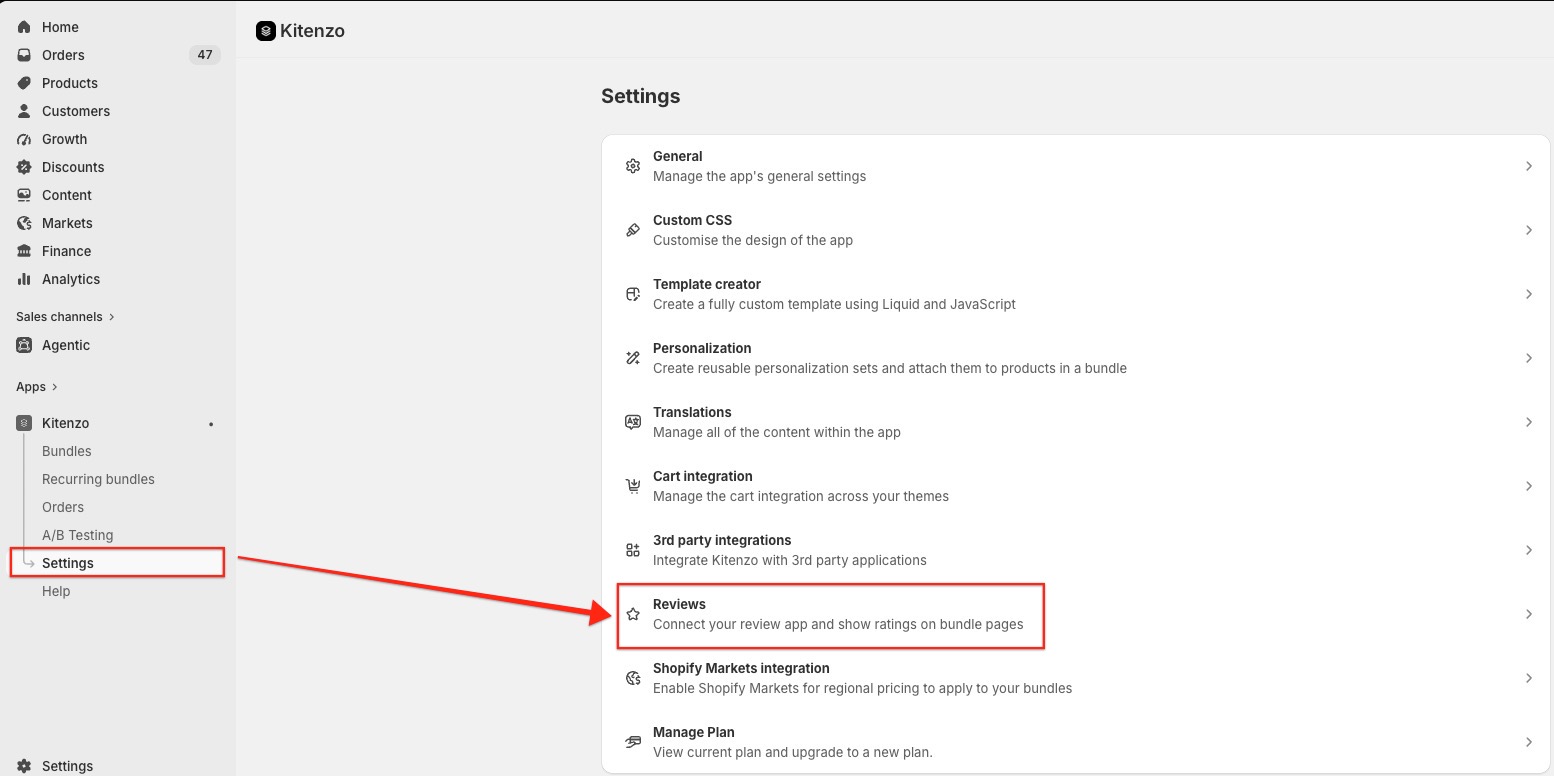
- From your Shopify admin, open the Kitenzo app.
-
Go to Settings > Reviews.
-
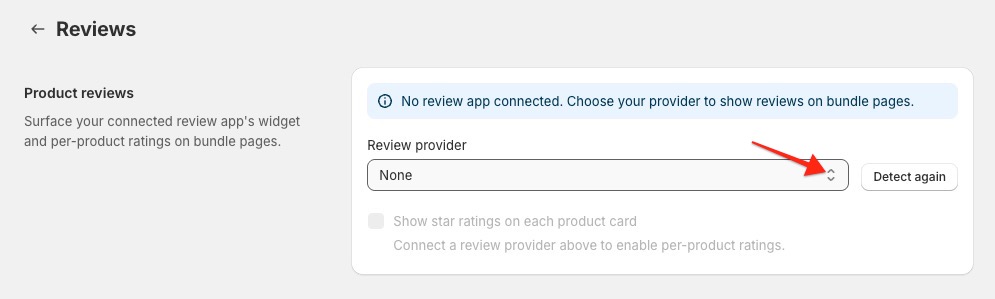
If Kitenzo detects a supported review app already installed on your store, it will pre-fill the Review provider field for you. If it doesn't, or you want to double-check, select your provider from the Review provider dropdown: Yotpo or Judge.me. You can also select Detect again to re-run this check at any time.
- Once you've selected a provider, a credential field appears:
- For Yotpo, enter your Yotpo App Key.
- For Judge.me, enter your Judge.me public token.
-
Select Save.
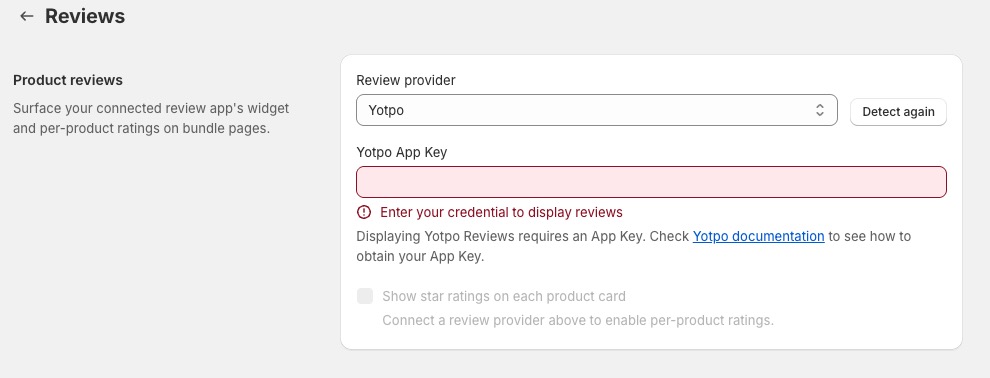
Once saved, your review app's widget will automatically appear on your bundle pages for the parent bundle product.
Show star ratings on individual products
If you sell mix-and-match or build-a-box bundles, you can also show each product's own star rating and review count right on its card, so shoppers see social proof while they're picking items.
-
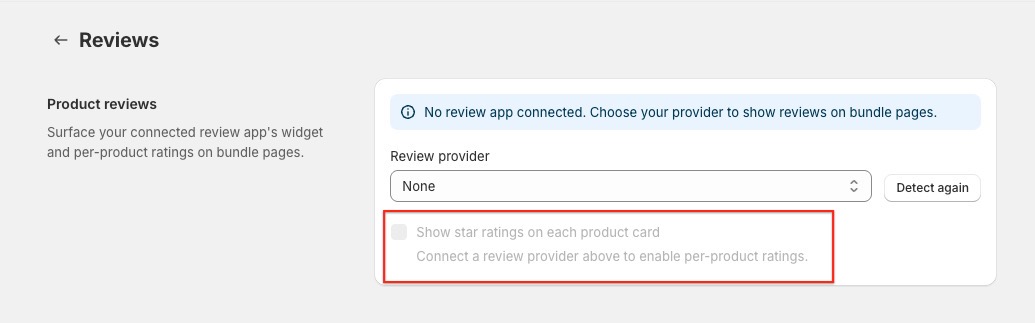
On the same Settings > Reviews page, turn on Show star ratings on each product card.
- Select Save.
This option only becomes available once you've connected a review provider and entered a valid credential. Each product card will then display that product's rating and review count, pulled directly from your connected review app.
What shoppers see
- A review widget for the bundle itself, in the same spot it always appeared for Yotpo.
- If you turned on per-product ratings, a star rating and review count on each product card inside the bundle — these update automatically as shoppers filter or search within the bundle builder, without needing to reload the page.
- If a product doesn't have any reviews yet, its card simply shows your review app's normal "no reviews yet" state — nothing broken or out of place.
- If a product is deleted or unpublished, its card just shows no rating.
Key considerations
- If you have more than one supported review app installed, Kitenzo will prioritize them in this order when auto-detecting: Judge.me, then Yotpo.
- Turning off Show star ratings on each product card removes ratings from every product card immediately — the bundle-level widget is unaffected.
- If no review app is connected, the bundle-level review widget simply won't appear, and the per-product ratings toggle will be disabled until you connect one.