
Your bundle pages just got a lot more powerful
If you’ve been using Kitenzo for a while, you know we’re always looking for ways to make your bundle pages convert better and look sharper.
The wait is over—our new drag-and-drop editor is officially here, and it’s a total game-changer for your store.
The new Template Editor isn't just a facelift; it’s a complete reimagining of how you build bundles. We’ve moved away from rigid layouts to give you total creative freedom. Now, you can build high-converting, professional bundle pages that feel like a seamless part of your brand—no coding required.

What’s waiting for you inside?
We’ve delivered on the features you asked for most. Here’s what you can add to your pages right now:
- Drag-and-Drop Simplicity: Move images, text, and product grids exactly where you want them.
- Urgency Tools: Drop in a Countdown Timer to drive sales during flash promos or holiday events.
- Social Proof: Integrated Reviews sections to build trust right at the point of purchase.
- Rich Media: Embed Video directly onto the page to show your products in action.
"Is it safe to switch my live store?"
We know the "upgrade anxiety" is real when you have a live store running. Here is exactly what happens when you make the move:
- Zero Risk to Your Live Site: When you start a new bundle in the Template Editor, your current bundle pages stay exactly as they are. Nothing changes for your customers until you hit "Publish."
- Preview Before You Launch: You can see exactly how your new design looks on desktop and mobile within the editor.
- Existing bundles: Not ready to commit? You can simply duplicate your current bundles and change the template on the copy to the new Template Editor. Your original bundle pages remain completely unaffected. This lets you design your new page in peace—when you’re ready, just publish the new bundle and set the old one to "Draft."
Pro Tip: Most merchants find they can recreate and "supercharge" their existing layout in about 15 minutes using the new tools.
How to make the switch (in 4 easy steps)
Ready to level up? Here’s the quickest path to your new look:
-
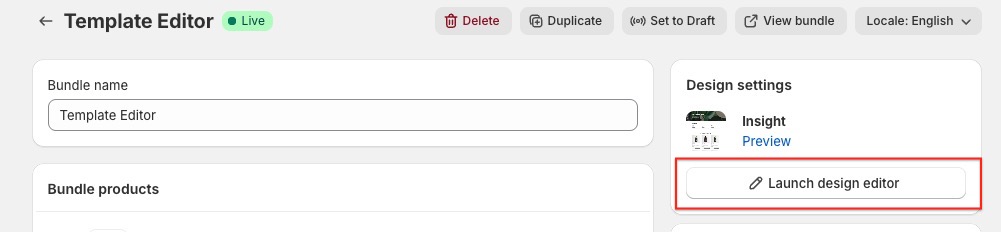
Open the Editor: Head to bundles section in your Kitenzo dashboard and select a bundle, click on 'Launch Design Editor.'
-
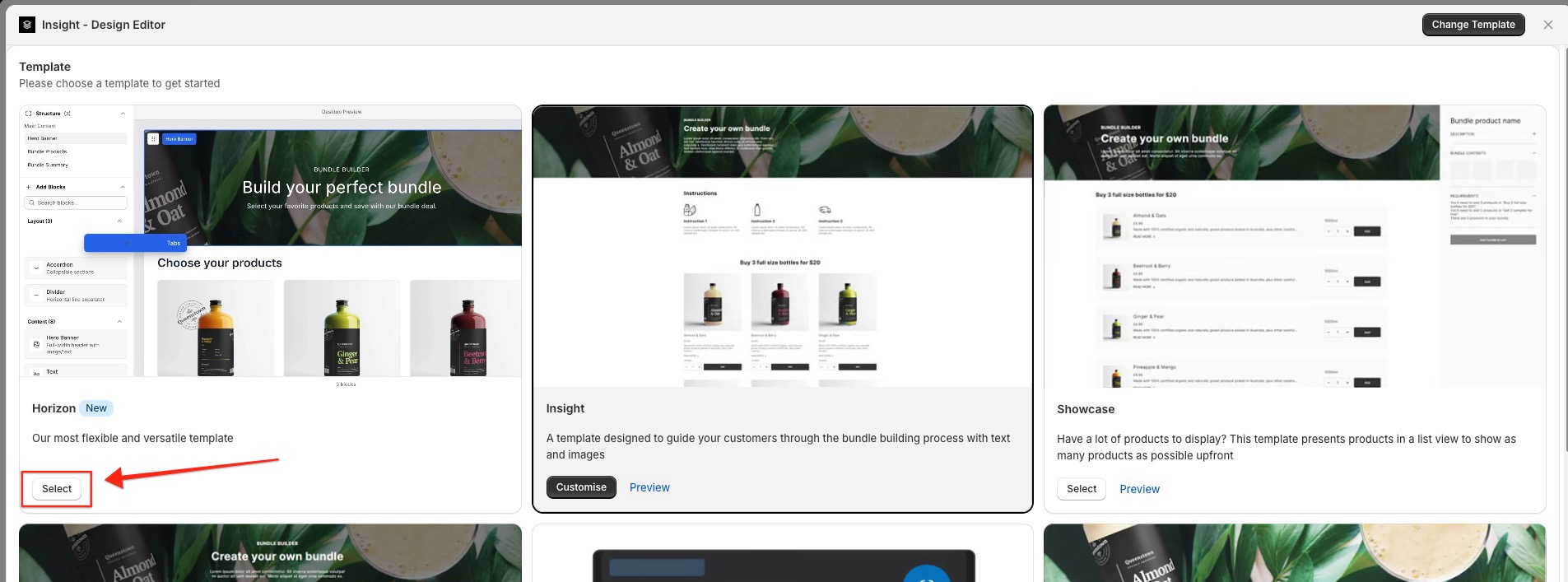
Change your template: In the top right hand corner click on 'Change Template'.

-
Select the new Template Editor:In the templates screen select the new template editor.
-
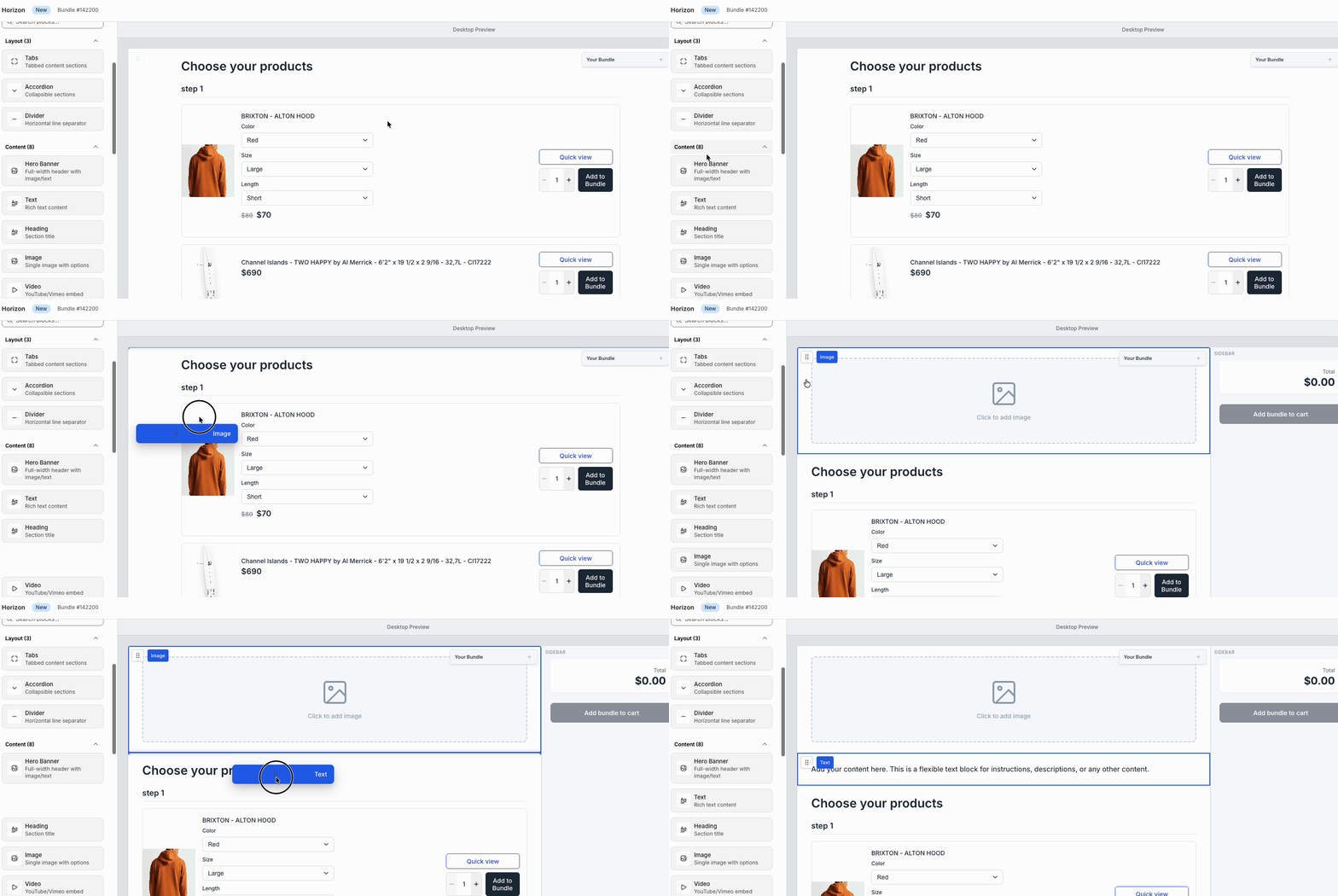
Customize: Use the sidebar to drag in new blocks like Videos or Timers. Click any element to change colors, fonts, and spacing.
-
Go Live: Once you’re happy, click save. Your old layout will be replaced instantly with the new, improved version.

Tell us what to build next!
We’re just getting started with this new editor, and we want you to help steer the ship. Our roadmap is driven by the merchants who use Kitenzo every day.
Is there a specific block or integration you’re craving? We’d love to hear it. We read every single suggestion that comes through.